AI Chatbots for Websites: The Complete Guide

Amanda Lee
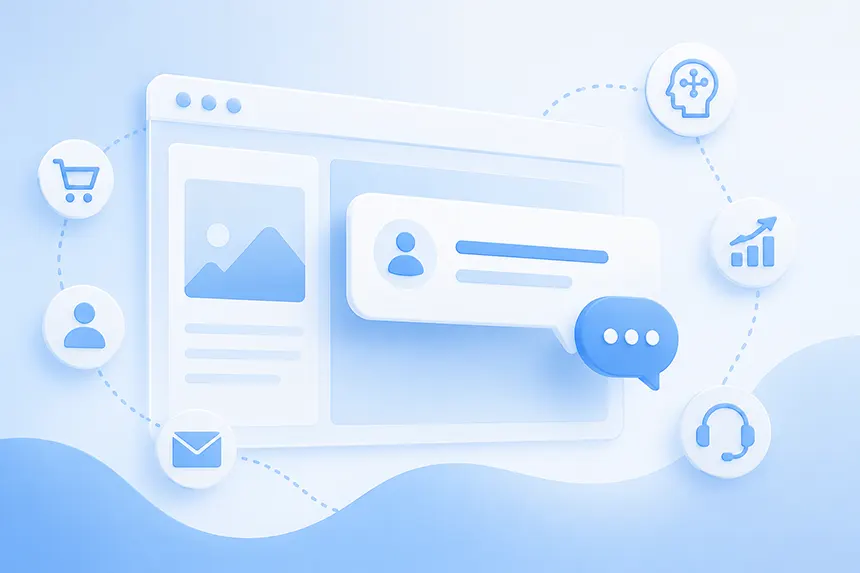
AI chatbots are rapidly changing what people expect from a website.
For decades, websites have essentially worked the same way: businesses publish information, organize it into pages and navigation menus, and expect visitors to find what they need.
AI changes that model.
Instead of clicking through menus, scanning pages, searching a knowledge base, or filling out a form and waiting for a response, visitors can simply ask a question:
- "Does this work with Woo Commerce?"
- "Which product is best for what I need?"
- "How much does this cost?"
- "Can I return my order?"
- "Do you offer this service in my area?"
A good AI chatbot for a website can understand those questions, find relevant information in the company's own content, provide an immediate answer, and increasingly take action on the visitor's behalf.
That makes the modern website chatbot much more than a customer support widget. It can become an AI website assistant that helps visitors discover information, evaluate products, solve problems, become leads, and complete business outcomes.
In this guide, we'll explain how AI chatbots for websites work, what they can do, what features to look for, where they provide the most value, and how they're evolving into a new generation of website AI agents.
What Is an AI Chatbot for a Website?
An AI chatbot for a website is software that lets visitors interact with a website using natural-language conversation.
Traditional website chatbots generally relied on predefined rules, decision trees, or scripted responses. A visitor might navigate from: Sales to Pricing to Request a Demo.
That experience could be useful, but it wasn't really a conversation. The chatbot could only handle the paths its developers anticipated.
Modern AI chatbots use large language models (LLMs), natural-language processing, and retrieval technologies to understand open-ended questions and generate useful responses.
Instead of choosing "Pricing" from a menu, a visitor can ask: "Which plan would work for a five-person marketing team?"
The AI can interpret the question, retrieve information from the company's website or other approved content, and formulate an answer specifically for that visitor. That's an important distinction.
A general-purpose AI such as ChatGPT knows about the broader world. A website AI chatbot should primarily know about your business: your products, services, policies, documentation, pricing, locations, specifications, FAQs, and other company information.
The website itself becomes the AI's knowledge base. And these days, all of this can happen without the need to write a single line of code.
How Do AI Website Chatbots Work?
Most modern website AI chatbots combine several technologies.
First, the chatbot ingests content. Depending on the platform, that might include website pages, PDFs, Word documents, product information, help articles, FAQs, or manually entered information.
The content is then processed and indexed so relevant information can be retrieved when a visitor asks a question.
When someone types: "Do you ship internationally?" the system doesn't simply send that question to a general-purpose LLM and hope for the best.
A well-designed system searches its approved knowledge sources for relevant information about shipping, provides that context to the language model, and asks the model to construct an appropriate response. This architecture is commonly known as retrieval-augmented generation, or RAG.
At a simplified level, the process looks like this: Visitor question -> Understand intent -> Retrieve relevant company content -> Generate answer -> Respond
More advanced AI agents add additional steps: Visitor question -> Understand intent -> Retrieve information -> Reason about the request -> Answer or take an action -> Continue the conversation
Those actions might include capturing a lead, escalating a conversation to a person, checking an order, booking an appointment, initiating a workflow, or interacting with another business system.
That is where the line between AI chatbot and AI agent begins to blur.
Why Add an AI Chatbot to Your Website?
The simplest answer is that your visitors already have questions. The problem is that most websites force visitors to hunt for answers.
Consider a typical business website. Important information may be distributed across product pages, pricing pages, FAQs, blog posts, documentation, support articles, PDFs, and dozens or even thousands of other pages.
Traditional navigation assumes the visitor understands how you've organized all that information. Search is somewhat better, but it still typically gives visitors a list of pages to investigate.
An AI chatbot changes the interface from: "Here are some pages that might contain your answer."
to: "Here's the answer."
That seemingly small change can affect the entire website experience.
Answer Questions You Otherwise Would Never Receive
Not every visitor is willing to contact sales or support.
Submitting a form creates friction. Sending an email requires effort. Starting a live chat means potentially entering a conversation with another person. As a result, visitors frequently leave with unanswered questions.
AI creates a much lower-friction interaction. A site visitor can ask a question anonymously and receive an immediate response without feeling like they've initiated a sales process.
That means businesses can engage with questions they might otherwise never know existed.
Keep Visitors Engaged
Website bounce isn't always caused by poor traffic.
Sometimes the right visitor arrives and simply can't find what they need quickly enough. An AI website assistant gives that visitor another path.
Instead of leaving, they can ask. This is particularly valuable on complex websites where the answer might exist but be buried several clicks deep.
Improve Customer Support
Support teams answer many of the same questions repeatedly:
- "Where is my order?"
- "How do I reset my password?"
- "What is your return policy?"
- "Do you support this integration?"
- "Where can I find the documentation for this feature?"
The best website AI chatbots can answer many repetitive questions instantly, 24 hours a day, while allowing human support teams to focus on issues requiring judgment, empathy, investigation, or specialized expertise.
The goal isn't necessarily to eliminate human support. It's to stop using expensive human attention for questions a machine can answer accurately in seconds, drastically reducing support costs at the same time.
Generate and Qualify Leads
A visitor asking detailed questions about pricing, features, implementation, or compatibility may be demonstrating significant buying intent.
Traditional website analytics can tell you that someone visited a pricing page. A conversation can tell you why.
Modern AI chatbots can identify that intent during the conversation and transition naturally toward a business outcome: "Would you like someone from our team to contact you?"
The chatbot can then collect information and pass the conversation to sales. This makes conversational AI both an information layer and a potential conversion channel.
Help Visitors Choose Products
For e-commerce websites, one of the most promising applications is conversational product discovery.
Traditional e-commerce requires customers to navigate categories and filters.
An AI shopping assistant allows them to describe the outcome they want: "I need a lightweight waterproof jacket for hiking in temperatures around 40°F."
The AI can ask follow-up questions, understand requirements, explain differences between products, and help the shopper narrow the available choices. This starts to replicate one of the most valuable capabilities of a knowledgeable salesperson: helping someone figure out what they should buy.
Learn What Visitors Actually Want
There's another benefit that is easy to overlook.
Every chatbot conversation is customer research. Search analytics might tell you which pages receive traffic. Traditional analytics might tell you where visitors enter and exit. AI conversations can reveal what visitors are actually trying to accomplish.
If dozens of visitors ask:
"Does your product integrate with Salesforce?"
and your website barely mentions Salesforce, you've discovered a content gap. If people repeatedly ask about a product capability you don't offer, you've potentially discovered a product gap. If visitors consistently misunderstand your pricing, you've discovered a messaging problem.
The chatbot therefore becomes a new source of first-party voice-of-customer data.
AI Chatbot vs. Traditional Website Chatbot
The word "chatbot" covers dramatically different technologies.
A traditional website chatbot typically operates using predefined rules. It recognizes particular inputs or guides visitors through predetermined paths.
An AI website chatbot interprets natural language dynamically. That gives AI systems several important advantages.
They can understand many different ways of asking the same question. They can respond to questions the chatbot designer didn't explicitly anticipate. They can use context from earlier parts of a conversation. And they can synthesize information from multiple pieces of content into a coherent response.
But AI introduces new challenges as well. A rule-based chatbot is highly predictable. An AI-generated response is probabilistic.
That makes issues such as grounding, retrieval quality, hallucination prevention, instructions, testing, monitoring, and guardrails much more important. The best AI chatbot isn't simply the one connected to the most powerful language model. It's the one that reliably turns that intelligence into accurate, useful, business-appropriate answers.
AI Chatbot vs. Live Chat
AI chatbots and live chat solve different problems.
Live chat connects visitors with people. That's valuable when a conversation requires negotiation, empathy, complex troubleshooting, specialized expertise, or human judgment. The limitation is availability and cost.
If 500 people arrive at your website simultaneously, supporting 500 live conversations requires substantial staffing.
AI is inherently more scalable. An AI chatbot can handle many simultaneous conversations and remain available around the clock.
The strongest model is often not AI or humans, but AI with human escalation. Let AI answer questions it can answer confidently. When the conversation requires a person, provide a clear path to one and ideally pass along the conversation history so the visitor doesn't have to start again.
What Content Can an AI Website Chatbot Learn From?
The answer depends on the platform, but common sources include:
- Website pages
- Product catalogs
- Documentation
- Knowledge bases
- FAQs
- PDFs
- Word documents
- Policies
- Help-center articles
- Manually entered text
- Structured question-and-answer pairs
- Data retrieved from external systems
The quality of these sources matters enormously.
AI doesn't magically repair bad information architecture or contradictory business information.
If one page says returns are allowed for 30 days and another says 60 days, the chatbot has been given conflicting evidence.
This leads to an important principle:
Your AI chatbot is only as trustworthy as the information and retrieval process behind it.
Deploying conversational AI often exposes content problems businesses didn't know they had: stale documentation, conflicting policies, missing answers, duplicate information, or important knowledge trapped inside someone's head.
Fixing those problems improves both the chatbot and the website itself.
What Should You Look for in an AI Chatbot for Your Website?
There are now dozens of website AI chatbot platforms, and superficially many appear similar.
You provide a URL. The platform crawls your website. You customize a chat interface. You paste some JavaScript onto your site.
But the underlying capabilities can differ substantially.
1. Easy Content Training
Training shouldn't require an AI engineering team.
A business user should be able to provide a website, documents, FAQs, or other content and quickly create a useful knowledge base.
Just as importantly, the platform should make it easy to update and retrain that information as the website changes.
2. Accurate Retrieval and Answers
Accuracy is foundational.
Look for a platform that grounds responses in your approved content rather than relying primarily on the model's general knowledge.
You should also be able to inspect the sources behind responses. This makes it much easier to diagnose bad answers and improve the underlying content.
3. Strong Hallucination Controls
No generative AI system can guarantee that an incorrect answer will never occur. But a website chatbot platform should be designed to minimize the risk.
That includes good retrieval, confidence management, clear agent instructions, source grounding, testing tools, and appropriate behavior when the answer isn't known.
Sometimes the best AI response is simply: "I don't have enough information to answer that."
4. Customizable Agent Instructions
Your AI should represent your organization, not merely answer questions.
You may want it to be friendly or formal, concise or explanatory, technical or accessible. You may also need behavioral instructions:
- Don't discuss competitors
- Don't provide legal advice
- Recommend contacting support for account-specific problems
- Ask for clarification before recommending a product
A good platform should make this behavior configurable without requiring developers to rewrite application code.
5. A Good Website Experience
The AI itself is only half the product.
Visitors need an interface that makes them want to use it. That means considering the chat bubble, welcome message, suggested prompts, mobile experience, branding, placement, accessibility, and how prominently conversational AI should appear within the overall website experience.
As AI becomes more important, some companies may move beyond the small chat bubble entirely and make conversation a central website interaction.
6. Analytics and Conversation Insights
You should be able to understand what people are asking.
Useful analytics might include conversation volume, common topics, sentiment, unanswered questions, feedback, geography, conversion activity, and other behavioral signals.
These insights help businesses improve not just the AI agent, but their content, products, marketing, and customer experience.
7. Business Actions
This is increasingly the difference between a chatbot and an agent.
Answering: "Yes, we offer consultations."
is useful.
Following it with: "Would you like to schedule one?"
is more useful.
Modern AI systems are beginning to connect conversation with actions such as lead capture, human escalation, appointment booking, ecommerce operations, support workflows, and external APIs.
The future of website AI isn't merely answering questions. It's helping visitors accomplish things.
8. Security and Privacy
Your AI chatbot becomes another part of your website technology stack, so security deserves the same scrutiny as any other business system.
Organizations should evaluate how data is stored, whether customer data is used to train public AI models, access controls, encryption, retention policies, compliance requirements, and the security practices of the platform provider.
These considerations become especially important for enterprise, government, healthcare, financial services, and other regulated environments.
How to Add an AI Chatbot to Your Website
Modern AI chatbot platforms have made deployment surprisingly straightforward.
The general process looks like this:
1. Choose your knowledge sources. Start with the pages and documents containing information visitors actually need.
2. Train the AI. Allow the platform to crawl, process, and index that content.
3. Test real questions. Don't just ask questions you know the website answers perfectly. Think like customers. Try ambiguous questions, difficult questions, incomplete questions, and questions for which no answer exists.
4. Configure the agent. Define its role, personality, response style, boundaries, and desired behaviors.
5. Customize the interface. Match the chatbot to your website and create a welcome experience that gives visitors a reason to engage.
6. Configure outcomes. Determine what should happen when someone demonstrates buying intent, needs human assistance, or wants to complete an action.
7. Deploy it. Most platforms provide a small embed script that can be added to the website without rebuilding the site.
8. Monitor and improve. Review conversations, identify weak answers, add missing content, refine instructions, and continue improving the experience.
The last step is particularly important.
An AI chatbot shouldn't be treated as a "deploy it and forget it" website plugin. It should get better as you learn from real conversations.
Common AI Chatbot Mistakes
One of the biggest mistakes is training an AI on an entire website and immediately putting it into production without meaningful testing.
Another is assuming that the language model itself determines answer quality. In practice, content quality, retrieval, instructions, and platform architecture matter tremendously.
Businesses also frequently make the chatbot too passive. If the only invitation is a tiny icon in the bottom-right corner of the screen, many visitors may never discover what it can do.
Finally, companies sometimes optimize too heavily for deflection. If the chatbot desperately tries to prevent every visitor from reaching a human, it may reduce support costs while creating a terrible customer experience.
The objective isn't maximum automation. It's the best outcome for the visitor and the business.
How AI Chatbots Are Becoming AI Agents
The terminology is evolving quickly, but there's a useful conceptual distinction.
A chatbot primarily talks. An AI agent can take action.
Imagine someone visits a website and says: "I'm interested in your enterprise product, but I need SSO, Salesforce integration, and support for 500 users."
A chatbot can explain those capabilities. An AI agent can potentially explain them, recognize that the visitor is a qualified prospect, collect their contact information, send the conversation to sales, trigger a CRM workflow, and help schedule the next step.
Likewise, an e-commerce chatbot might explain a return policy. An e-commerce agent could eventually initiate the return.
A support chatbot might explain how to solve a problem. A support agent could execute the necessary operation.
This creates a natural progression: Website chatbot → AI chatbot → conversational AI → AI agent → agentic website
The website is no longer simply a collection of pages waiting to be navigated. It becomes an interactive system capable of understanding what visitors want and helping them accomplish it.
What Is the Future of AI Chatbots for Websites?
The biggest change may ultimately be conceptual. For roughly three decades, websites have been built primarily around navigation.
We organize information into pages. Pages into sections. Sections into menus. Visitors navigate this hierarchy until they find what they need.
Search improved the process, but didn't fundamentally change it.
Conversational AI does.
A visitor doesn't necessarily need to know whether information lives under Products, Solutions, Resources, Support, Documentation, or FAQs. They can simply ask.
That doesn't mean websites or navigation disappear. Visual browsing remains important, particularly for discovery, storytelling, branding, and ecommerce. But conversation becomes another interface to the website—and for some tasks, a dramatically more efficient one.
The next generation of websites will likely combine both models. Browse when you want to explore. Ask when you want an answer.
And increasingly: Ask when you want something done.
Turn Your Website Into a Conversational Experience
Every person who visits your website arrives with a goal. Some want information. Some need support. Some are comparing products. Some are deciding whether to buy. Some are ready to talk to sales.
The traditional website asks each of them to figure out where to go next.
AI offers a different model: Let them ask.
CrafterQ turns your existing website content, documents, FAQs, and other business knowledge into an AI-powered conversational experience that can answer questions, engage visitors, capture leads, escalate conversations, and guide people toward real outcomes.
You don't need to rebuild your website or create hundreds of scripted chatbot flows. Train your AI agent on the content you already have, customize the experience for your brand, and add it to your website.
Start Today
Turn your website into an AI experience with CrafterQ. Get started for free.