What Makes a Good AI Chatbot for a Website?

Amanda Jones
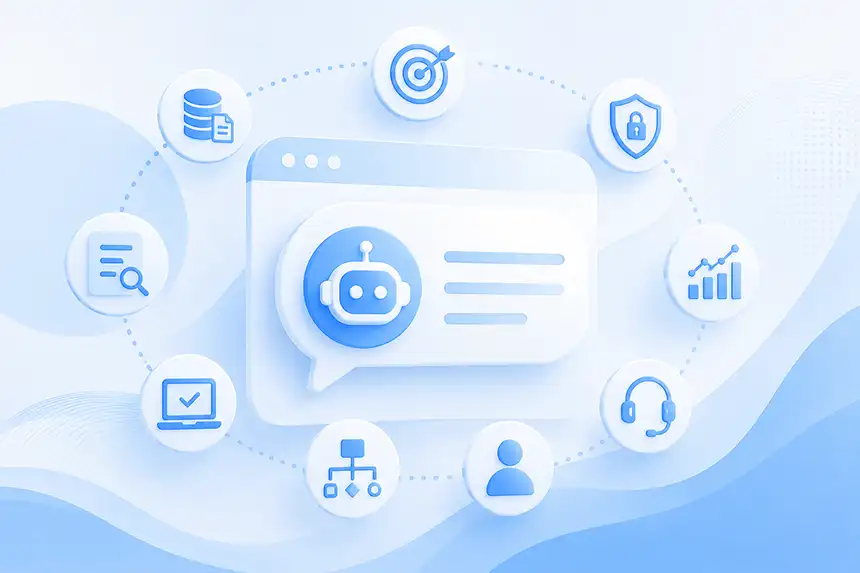
Adding an AI chatbot to a website has become remarkably easy. Add your website URL. Let the platform crawl your content. Customize the chatbot. Copy a small embed script onto your site.
You can have something that looks like an AI chatbot running in minutes. But building a good AI chatbot is a different matter.
A good website chatbot needs to understand what visitors are asking, find the right information, provide accurate answers, know when it doesn't know something, represent your brand appropriately, and help visitors accomplish whatever brought them to your website in the first place.
Increasingly, it should also be able to do more than talk. It should be able to act.
So what separates a useful AI website assistant from another annoying chatbot bubble in the corner of the screen?
Here are the capabilities that matter most.
1. It Answers Questions Accurately
Everything starts here.
If visitors can't trust the answers, nothing else matters.
A website AI chatbot shouldn't behave like a general-purpose AI assistant that happens to know something about your company. It should primarily answer questions using information your business has provided and approved.
That might include:
- Website content
- Product information
- Documentation
- FAQs
- Knowledge bases
- PDFs and documents
- Policies
- Structured Q&A
- Other business data
When someone asks, "What is your return policy?" the AI shouldn't invent a reasonable-sounding return policy.
It should find your return policy and answer from it.
Modern AI chatbot platforms typically accomplish this using retrieval-augmented generation, or RAG. The system retrieves relevant information from the company's knowledge sources and provides that context to the language model when generating an answer.
The quality of that retrieval process is one of the biggest differences between AI chatbot platforms. A more powerful LLM won't compensate for consistently retrieving the wrong information.
For a deeper look at the underlying technology, see our guide to AI Chatbots for Websites.
2. It Knows When It Doesn't Know
This may be just as important as answering correctly.
Large language models are designed to generate plausible responses. Unfortunately, plausible isn't always the same thing as correct. If your website doesn't contain an answer, a bad chatbot may try to fill in the gap. A good one should recognize uncertainty.
There is nothing wrong with saying: "I don't have enough information to answer that."
In many business contexts, that's dramatically better than confidently providing incorrect information.
A strong website AI platform should therefore provide mechanisms for grounding answers in approved content, managing confidence, controlling behavior through instructions, and testing how the AI responds when information isn't available.
The goal isn't to make the AI answer every question. The goal is to make it answer the questions it can answer well.
3. It Understands Natural Language
Traditional chatbots required visitors to speak the chatbot's language. AI chatbots should understand the visitor's.
Imagine a software company whose documentation describes its "Single Sign-On capabilities."
Visitors might ask:
- "Do you support SSO?"
- "Can I use Okta?"
- "Does this work with our corporate login?"
- "Can employees use their existing credentials?"
- "Do you integrate with our identity provider?"
Those questions are related even though they don't use identical terminology. A good AI chatbot understands intent rather than simply matching keywords. It should also understand conversational context.
If a visitor asks: "Does the Business plan include API access?" and then follows with: "What about the cheaper one?"
the chatbot should understand what "the cheaper one" refers to without forcing the visitor to start over.
That's what makes the experience conversational rather than simply search with a chat interface.
4. It Makes Your Website Easier to Use
A chatbot isn't useful merely because it can answer questions. It should make the overall website experience better.
Traditional websites force visitors to understand how information has been organized. Should they look under Products? Solutions? Resources? Documentation? Support? FAQs?
A website AI assistant removes some of that friction.
Instead of hunting through navigation menus or searching through pages, visitors can ask:
- "Does this product work with WordPress?"
- "Which option would be best for a small business?"
- "Where can I find your installation instructions?"
- "Do you offer services in Texas?"
The AI becomes another interface to the website. This doesn't eliminate traditional navigation. People will continue to browse websites, explore products, look at images, read articles, and compare options.
But visitors shouldn't have to browse when they already know exactly what they want to know.
Browse when you want to explore. Ask when you want an answer.
5. It Helps Visitors Reach an Outcome
This is where website AI starts becoming much more interesting.
Consider two conversations.
In the first:
Visitor: Do you offer enterprise plans?
AI: Yes. We offer enterprise plans for larger organizations.
Technically correct.
Now consider:
Visitor: Do you offer enterprise plans?
AI: Yes. Our Enterprise plan is designed for organizations that need additional scale, security and support. Would you like to talk with someone about your requirements?
The second conversation moves toward an outcome. If the visitor says yes, the AI might collect their contact information and send the conversation to sales.
The same concept applies throughout a website. An e-commerce AI could help a shopper find a product and then direct them toward purchasing it. A support AI could answer a question and escalate the visitor to a human when necessary.
A service-business AI could explain available services and then help the visitor request an appointment.
This is the evolution from chatbot to agent. A chatbot answers. An agent can take action.
The best website AI platforms increasingly combine both.
6. It Represents Your Brand
Your website is part of your brand experience.
Your AI should be too. A chatbot for a law firm probably shouldn't communicate exactly like one for a gaming company.
A technical B2B product may need detailed answers. A consumer brand may prefer shorter, friendlier responses. A healthcare organization may need especially careful boundaries around the kinds of questions its AI should answer.
Good AI chatbot platforms allow businesses to define an agent's role, personality, tone, objectives, and behavioral instructions.
For example:
You are a knowledgeable product specialist. Answer questions clearly and concisely. Use information from our approved sources. When you don't have enough information, say so rather than guessing. When a visitor shows buying intent, offer to connect them with our sales team.
Those instructions influence more than writing style.
They define how the AI represents the business.
7. It Provides Sources and Transparency
One of the most useful capabilities of a business AI chatbot is the ability to understand where its answers came from. If an AI tells a visitor that your product supports a particular feature, you should be able to determine which content supported that answer.
Source transparency serves two purposes. First, it can increase trust. Depending on the experience, visitors may be able to follow links to the underlying website content for more information. Second, it makes the AI much easier to improve.
If an answer is wrong, you can investigate why:
- Did the AI retrieve an outdated page?
- Is important information missing?
- Are two pages contradictory?
- Did the chatbot misunderstand the question?
Without visibility into the sources behind answers, improving an AI chatbot becomes guesswork.
With it, conversations become a feedback loop.
8. It Is Easy to Train and Keep Current
A website chatbot is only as current as its knowledge.
Businesses change constantly. Prices change. Products change. Documentation changes. Policies change. New pages appear. Old pages disappear. If updating the AI requires a developer or an AI engineer every time the website changes, maintaining it will quickly become a problem.
A good website AI chatbot should make it straightforward to add, remove, update and retrain content. Ideally, much of that process can be automated. This matters because AI quality isn't a one-time configuration problem.
A chatbot that was perfectly accurate six months ago may be wrong today if the business changed but its knowledge didn't.
Training should therefore be thought of as an ongoing (and automatic) process rather than an initial setup step.
9. It Gives You Useful Analytics
Traditional website analytics tell you what visitors did. Conversational analytics can help tell you what they wanted.
That's a significant difference.
Suppose 200 people visit your pricing page. Traditional analytics can tell you how many stayed, clicked, converted or left.
But conversations might reveal that visitors were actually asking:
- "Is there a nonprofit discount?"
- "Can I add more users?"
- "Do I need an annual contract?"
- "What counts as a user?"
- "What happens if I exceed the usage limit?"
Now you know where the uncertainty is. A good AI chatbot platform should help surface common topics, questions, sentiment, feedback and conversation trends.
Your chatbot becomes not only a way to serve visitors, but a source of first-party customer intelligence.
10. It Escalates to Humans When Appropriate
AI shouldn't become a wall between your customers and your company.
Sometimes the right answer is a person. A visitor may have a complicated support issue. A high-value prospect may want to discuss a contract. Someone may ask a question involving information the chatbot doesn't have access to.
A good AI chatbot should recognize (or be explicitly configured for) situations where human escalation makes sense. Even better, it should preserve the context of the conversation.
There's little more frustrating than spending five minutes explaining a problem to an AI only to reach a human and hear: "How can I help you?"
The conversation itself should become context for the handoff. AI handles what AI does well. Humans handle what humans do well.
11. It Has a Great User Experience
Even an intelligent chatbot can fail if nobody wants to use it. The user experience matters. That includes obvious things such as mobile support, speed, accessibility, branding and a clean interface.
But it also includes how the AI introduces itself.
Compare: "Hi. How can I help?"
with: "Hi! 👋 I can help you compare plans, answer product questions, or find information from anywhere on our website. What would you like to know?"
The second tells visitors why they should engage.
Suggested questions can help too, particularly for first-time visitors who may not understand what the AI can do. And while the traditional chat bubble remains useful, conversational AI doesn't necessarily need to remain hidden in the bottom-right corner of every website forever.
As the technology becomes more capable, conversation can become a more prominent part of the website experience itself.
12. It Meets Your Security and Privacy Requirements
A website chatbot is another business system handling customer interactions and company information. Security therefore shouldn't be an afterthought.
Businesses evaluating AI chatbot platforms should understand:
- How data is stored and protected
- Whether their data is used to train public AI models
- How access is controlled
- How conversations are retained
- What security certifications the vendor maintains
- What happens to sensitive information entered into conversations
The appropriate requirements will vary significantly between a small marketing website and an enterprise operating in a regulated industry.
But the principle is the same: Don't evaluate the AI and ignore the platform around it.
How to Evaluate an AI Chatbot for Your Website
Marketing pages can make nearly every AI chatbot platform look impressive.
The best evaluation is much simpler. Train it on your actual website. Then ask it real questions. Don't limit yourself to easy questions copied directly from your FAQ.
Ask questions customers actually ask. Use different terminology. Ask vague questions. Ask follow-ups. Ask something the chatbot should know. Ask something it shouldn't know.
Test scenarios across sales, support, product discovery and general website navigation.
Then evaluate:
- Was the answer correct?
- Was it useful?
- Did it come from the right source?
- Did the AI understand follow-up questions?
- Did it admit when it didn't know?
- Did the response sound appropriate for your brand?
- Could the visitor easily take the next step?
That's a much better test than comparing feature checklists.
The Best AI Chatbot Makes Your Website More Useful
It's easy to focus on the underlying AI model. But your visitors don't care which LLM powers the chatbot.
They care whether it helps them.
Can they get an accurate answer? Can they find something faster? Can they choose the right product? Can they solve their problem? Can they reach a person when necessary? Can they accomplish what they came to the website to do?
That's ultimately what makes a good AI chatbot for a website.
The best AI chatbot isn't the one that talks the most or sounds the most human.
It's the one that makes the website more useful to every visitor who has a question. And as website AI evolves from answering questions to taking actions, that bar will continue to rise.
The next generation of website AI won't simply tell visitors where to go. It will help them get there.
See What a Good Website AI Chatbot Can Do
CrafterQ turns your website content, documents, FAQs and other business knowledge into an AI-powered conversational experience for your visitors.
Train Q on your existing content, test it with real questions, customize its personality and behavior, deploy it to your website, and learn from the conversations your visitors have with it.
And with Agent Actions, Q can go beyond answering questions to capture leads, escalate conversations and help turn website interactions into business outcomes.
Try CrafterQ free and see what your website can answer.