How to Build an AI Chatbot Without Coding

Amanda Lee
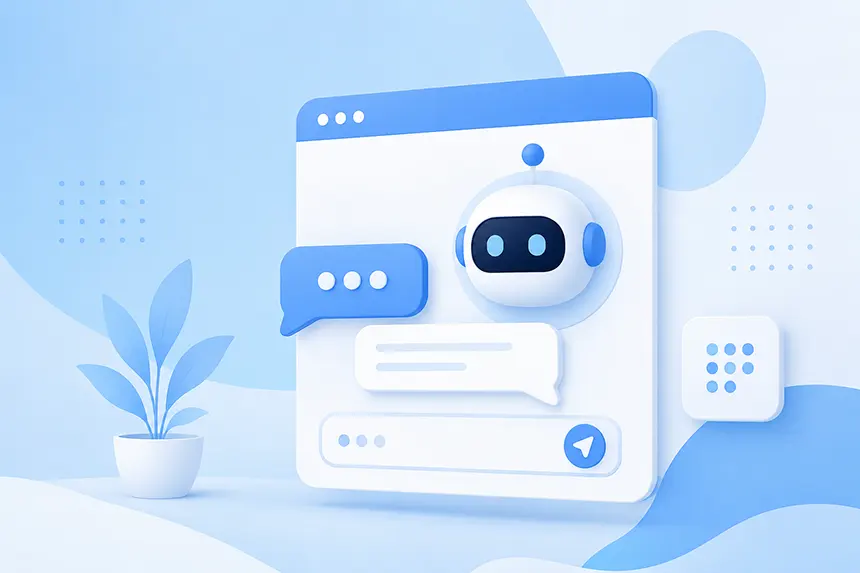
Not long ago, building a chatbot meant hiring developers, designing conversation flows, integrating APIs, and maintaining a growing collection of rules and scripts.
Building a custom AI chatbot sounded even more complicated. That has changed.
Today, businesses can build a sophisticated AI chatbot for their website without writing code. Modern no-code AI chatbot platforms can learn directly from your website and other business content, understand natural-language questions, generate relevant answers, and even take actions such as capturing a lead or escalating a conversation to a human.
In many cases, you can go from a website to a working AI chatbot in minutes.
Here's how it works, and what you should look for when building one.
What Is a No-Code AI Chatbot?
A no-code AI chatbot is a conversational AI application that can be configured and deployed without traditional software development.
Instead of programming every possible question and response, you give the chatbot access to the information it needs to know. This might include your:
- Website
- Product pages
- Documentation
- FAQs
- Knowledge base
- PDF files
- Word or Excel documents
- Policies and procedures
- Other business content
The AI uses that information to understand questions and generate answers. This is fundamentally different from the chatbots businesses deployed a decade ago.
Traditional chatbots typically relied on predefined decision trees:
Visitor: I need help.
Chatbot: Choose one:
- Sales
- Support
- Billing
Modern AI chatbots allow the visitor to simply ask: "Does your product integrate with XYZ, and how long would it take us to get started?"
The chatbot interprets the question, finds the relevant information in your content, and generates an answer conversationally. No decision tree required.
Step 1: Decide What You Want Your Chatbot to Do
Before choosing a platform, start with the business outcome. What should the chatbot accomplish?
For many businesses, the first goal is simply answering questions. Website visitors frequently arrive with specific questions about products, services, pricing, policies, compatibility, implementation, shipping, returns, support, or hundreds of other topics.
A chatbot can make those answers immediately accessible. But answering questions is only the beginning.
You might also want your AI chatbot to:
- Recommend products
- Help visitors find information
- Qualify prospects
- Capture leads
- Direct visitors to relevant pages
- Reduce repetitive support requests
- Escalate complicated questions to employees
- Help customers compare products or services
- Guide visitors toward purchasing decisions
Defining these objectives early will help you evaluate chatbot platforms based on business capabilities rather than simply how impressive their AI sounds.
Step 2: Choose a No-Code AI Chatbot Platform
There are now many platforms that let businesses create AI chatbots without programming. But the capabilities can vary significantly.
When evaluating a no-code AI chatbot platform, look beyond whether it can generate an answer.
Consider whether the platform supports:
- Multiple content sources. Can it learn from websites, documents, FAQs, and manually entered information?
- Automatic content updates. What happens when information on your website changes?
- Source attribution. Can you see where the AI found the information used to generate an answer?
- Customization. Can you control the chatbot's personality, behavior, appearance, and instructions?
- Analytics. Can you see what visitors are asking?
- Actions. Can the chatbot do something after understanding the conversation?
- Human escalation. Can conversations be handed off when AI isn't enough?
- Security and privacy. How is your content and visitor data handled?
The easiest chatbot to configure isn't necessarily the best chatbot to put in front of your customers.
Step 3: Give the AI Your Content
This is where modern AI dramatically simplifies chatbot development.
Instead of manually creating hundreds of question-and-answer pairs, you can often provide your website URL and let the platform crawl your content. The platform processes that information and creates a knowledge base the AI can use when answering questions. You can then supplement your website with other sources.
For example, an ecommerce company might add product information, shipping policies, return policies, sizing guides, FAQs, and product documentation. A B2B software company might add its marketing website, technical documentation, integration guides, pricing information, and support knowledge base. A university might provide admissions information, academic programs, tuition information, campus resources, and student FAQs.
The principle is simple: The quality of your chatbot depends heavily on the quality of the information you give it.
No-code doesn't mean no work. It means the work shifts from programming conversations to providing and organizing useful knowledge.
Step 4: Give Your Chatbot Instructions
Your content determines what your chatbot knows. Your instructions determine how it behaves.
Modern AI chatbot platforms typically let you provide natural-language instructions instead of programming logic. For example, you might tell your chatbot:
You are a helpful product expert. Answer questions using the information provided. Keep responses concise and conversational. When appropriate, help visitors find the product that best meets their requirements. Never invent pricing, specifications, or policies that aren't supported by the available information.
You can also tailor the chatbot to your brand. A financial services company may want a professional and precise tone. A sporting-goods retailer might prefer something more casual and enthusiastic. A healthcare organization may prioritize clarity and restraint.
The important point is that none of this requires writing code.
You're configuring the AI using ordinary language.
Step 5: Customize the Chat Experience
The chatbot is now part of your website experience, so how it looks and behaves matters.
At minimum, you should be able to customize elements such as:
- Colors
- Welcome message
- Chat icon
- Avatar
- Suggested questions
- Position on the page
- Branding
But don't treat the chatbot as merely another widget in the bottom-right corner.
The objective is to encourage visitors to use it.
A generic message like "How can I help?" works, but a contextual prompt can be much more effective: Questions about our products? Ask me anything.
Or: Not sure which plan is right for you? I can help.
Your chatbot's interface should make the value of interacting with it immediately obvious.
Step 6: Test the Chatbot Before Publishing It
This is one of the most important steps.
Don't ask your chatbot only the questions you know it can answer. Try to break it. Ask vague questions. Ask complicated questions. Ask questions containing incorrect assumptions. Ask questions that aren't covered by your content.
Then test questions that real prospects and customers routinely ask your team. For example:
- "What's the difference between your Team and Business plans?"
- "Will this work with our existing website?"
- "Can I cancel whenever I want?"
- "Which product would you recommend for a company with 50 employees?"
- "I can't find the answer I need. Can I talk to somebody?"
Look at both the answers and the sources being used to generate them. Testing will frequently uncover something even more valuable than chatbot problems: website content problems.
You may discover that an important question isn't answered anywhere on your site. That's useful intelligence.
You can improve the content and make both your website and chatbot better.
Step 7: Configure Actions
This is where an AI chatbot begins becoming an AI agent.
Answering a question is useful. Acting on the visitor's intent is more valuable.
Suppose someone asks: "We're evaluating this for a 200-person company. Can someone give me pricing?"
A basic chatbot might provide a link to the pricing page. A more capable AI system can recognize the sales intent and present a lead form directly in the conversation.
Similarly, a customer who says: "I've tried everything in your documentation and this still isn't working." could be offered an escalation path to a human.
Other actions might include booking appointments, initiating workflows, checking order information, querying external systems, or interacting with business applications through APIs. When evaluating no-code chatbot platforms, this distinction matters.
Can the AI only talk, or can it help visitors accomplish something?
Step 8: Add the Chatbot to Your Website
Once you're satisfied with the chatbot, it's time to deploy it.
Most no-code platforms provide a small JavaScript snippet that you add to your website.
It generally looks something like this:
<script src="your-chatbot-script.js"></script>You don't need to understand JavaScript to use it. Depending on your website platform, you may paste the snippet into a site-wide settings area, tag manager, CMS template, or plugin.
Once the script is installed, the chatbot appears on your site. If you're using a website platform such as WordPress, WooCommerce, Shopify, Webflow, Drupal or another popular CMS, deployment may be even simpler.
Step 9: Learn From Real Conversations
Publishing the chatbot isn't the end of the process.
It's when the most interesting part begins. Visitors will inevitably ask questions you didn't anticipate. That's valuable.
Review chatbot conversations regularly and look for patterns. For example, consider:
- What are people trying to find?
- What questions appear repeatedly?
- Where does the chatbot struggle?
- Which products generate confusion?
- What objections do prospects have?
- What information is missing from your website?
These conversations create a direct feedback loop between your customers and your content strategy. If dozens of people ask a question your website doesn't clearly answer, don't simply teach the chatbot the answer. Consider improving the website too.
Over time, your AI chatbot can become a valuable source of customer intelligence.
How Long Does It Take to Build an AI Chatbot Without Coding?
For a basic website chatbot, you can potentially have a working prototype within minutes. Enter your website URL, let the platform process the content, configure some basic instructions, and start testing.
A production-quality deployment should receive more attention. You'll want to test answers, refine instructions, customize the experience, add additional content, configure actions, and review security and privacy requirements. But we're still talking about a radically different development model from traditional chatbot projects.
What once might have required developers, conversation designers, integrations, and weeks or months of work can now often be accomplished by a marketer, product manager, support leader, or business owner.
Do You Need Any Technical Skills?
Usually, very few. If you can configure a SaaS application, edit your website, and write clear instructions, you can probably build a modern no-code AI chatbot.
The most technical part is often adding the deployment script to your website, and even that may take only a few minutes.
More advanced use cases can still involve developers. Custom integrations, APIs, sophisticated actions, authentication, and enterprise workflows may require engineering work. The difference is that developers are no longer required simply to create the conversational experience itself.
They become necessary when you want the AI to interact deeply with other systems.
What Does a No-Code AI Chatbot Cost?
Costs vary considerably.
Some AI chatbot platforms offer free plans that allow you to experiment with a limited number of conversations or content sources. Paid plans typically increase message volume, storage, users, integrations, analytics, and advanced features.
When comparing pricing, don't look only at the advertised monthly price.
Consider:
- Message limits
- Number of chatbots or agents
- Content or storage limits
- Number of administrative users
- Retraining frequency
- API access
- Branding restrictions
- Actions and integrations
- Security features
A $20 chatbot can become expensive quickly if essential capabilities require multiple upgrades or usage-based charges.
The best comparison is the total cost for the capabilities and usage your business actually needs.
No-Code Doesn't Mean Basic
Perhaps the biggest misconception about no-code AI chatbots is that they're only appropriate for simple use cases.
That was much closer to the truth with traditional chatbot builders. Generative AI changed the equation.
A modern no-code chatbot can interpret complex natural-language questions, search large amounts of business content, maintain conversational context, generate personalized responses, capture customer intent, and trigger business actions.
The interface for creating it has become simpler. The technology underneath it has become considerably more powerful.
Build Your First AI Chatbot With CrafterQ
CrafterQ makes it possible to turn your existing website and business content into a conversational AI experience without writing code.
Add your website and other content sources, configure your AI agent's instructions and personality, test it in the Playground, customize the experience, and deploy it to your website with a simple embed.
And when answering questions isn't enough, CrafterQ Actions can help turn conversations into business outcomes through capabilities such as lead capture and human escalation.
Your website already contains the knowledge. CrafterQ makes it conversational.