How to Automate Customer Support With AI

Sara Williams
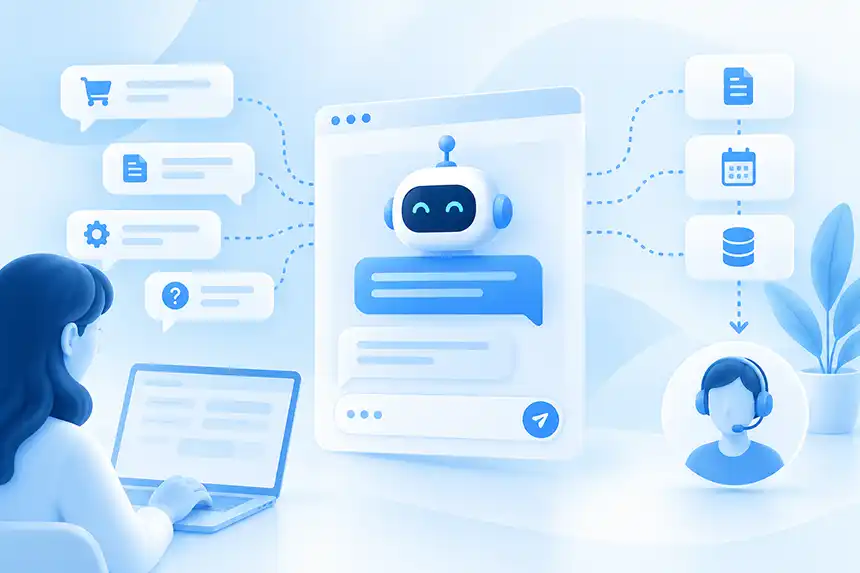
Customer support automation isn't new. Businesses have spent decades trying to answer more customer questions without requiring more support employees.
They built FAQ pages, knowledge bases, help centers, automated phone systems, scripted chatbots, and ticket-routing workflows. Each helped, but most shared the same limitation: the customer had to understand how the company's support system worked.
They had to find the right article, choose the right category, enter the right search terms, or navigate through a predetermined chatbot flow.
AI changes that relationship.
Instead of requiring customers to learn how to find an answer, modern AI customer support systems can understand what customers are asking in ordinary language, retrieve relevant information from company content, and respond conversationally.
More importantly, AI can increasingly determine what should happen next. It can collect information, escalate an issue to a human, trigger an action, or interact with other business systems.
That makes AI much more than another way to automate a help desk. It creates an opportunity to rethink where customer support begins and which interactions ever need to reach the support team at all.
Here's how to automate customer support with AI without sacrificing the customer experience.
What Is AI Customer Support Automation?
AI customer support automation uses artificial intelligence to handle parts of the customer support process that would otherwise require human effort.
At its simplest, AI can answer common customer questions. A customer asks about a return policy, product feature, integration, subscription, or setup procedure, and the AI retrieves the relevant information and generates an answer.
More advanced AI support agents can do considerably more. They can understand the context of a conversation, determine customer intent, collect information, decide when human assistance is required, and initiate actions based on what the customer is trying to accomplish.
The important distinction is that modern AI customer support doesn't require businesses to anticipate and manually program every possible conversation. Instead, the AI learns from the information the business already has and uses that knowledge to respond dynamically.
Start With the Customer Questions You Already Receive
The best place to begin automating customer support isn't with the technology. It's with your existing support conversations.
Look at the questions your customers repeatedly ask through email, live chat, support tickets, phone calls, website forms, and other channels. Most organizations will quickly discover patterns.
Customers may repeatedly ask about shipping, returns, product compatibility, pricing plans, account settings, integrations, installation, troubleshooting, business hours, or policies.
Now ask a second question: Does the answer already exist somewhere in our content?
If the answer is yes, the interaction is a strong candidate for AI automation.
A support employee doesn't necessarily need to spend time answering a question when the answer already exists on the website, in an FAQ, or inside product documentation. The real problem is often that the customer couldn't find it.
That is precisely the kind of information-discovery problem where AI performs well.
Make Your Existing Support Knowledge Accessible to AI
Once you've identified the questions you want to automate, the next step is giving the AI reliable information it can use to answer them.
Depending on the business, that knowledge may include website pages, product information, FAQs, help center articles, documentation, policies, manuals, PDFs, spreadsheets, or other business content.
This is one of the biggest differences between modern generative AI and older customer service chatbots.
Traditional chatbots often required someone to manually create individual questions, answers, rules, and conversation flows. Modern AI systems can ingest much larger collections of existing content and use retrieval technology to locate information relevant to a customer's question.
This approach is often based on retrieval-augmented generation, or RAG. Rather than asking a language model to answer entirely from its general knowledge, the system retrieves information from the company's approved content and uses that information to construct its response.
The quality of that content matters enormously.
AI cannot reliably answer a question from information that doesn't exist. If your return policy is unclear, your AI may struggle to explain it. If three pages contain contradictory pricing information, the AI inherits that problem.
Automating customer support therefore often reveals something useful: the quality of your AI support is closely tied to the quality of your customer-facing content.
Put AI Directly on Your Website
Many companies naturally think about AI customer support as a feature inside their help desk. That's certainly one place to use it, but it isn't necessarily the best place to start. By the time someone creates a support ticket, the business already has a support interaction to manage.
A website AI chatbot can intervene earlier.
Imagine someone visiting a product page who wants to know whether a particular product works with something they already own. The answer may be somewhere on the website, but the visitor doesn't know where.
Without AI, they might search the website, open documentation, contact support, or give up. With an AI chatbot directly on the website, they can simply ask the question.
If the answer exists in the company's content, the chatbot can provide it immediately. The customer gets what they need without entering a help center or creating a support ticket. This is an important part of AI customer support automation because the goal shouldn't simply be to automate tickets after they're created.
The better outcome is often preventing an unnecessary ticket from being created at all.
Automate High-Volume, Low-Complexity Questions First
One of the biggest mistakes businesses can make with AI is trying to automate everything immediately.
Start with the easy wins. High-volume questions with well-documented answers are usually the safest and most economically attractive place to begin. These interactions consume support resources precisely because they happen frequently, not because they're difficult.
A software company might automate questions about supported integrations, account configuration, plan features, or basic setup. An e-commerce company might focus on shipping policies, returns, product specifications, sizing, and compatibility. A financial services business might begin with locations, operating hours, scheduling procedures, and common service questions.
As the AI demonstrates that it can handle these interactions accurately, the scope can expand.
This incremental approach also makes it easier to understand where AI works well and where human expertise remains necessary.
Give the AI Clear Instructions and Guardrails
Providing knowledge isn't enough. The AI also needs instructions about how it should behave.
For customer support AI, those instructions may define the agent's role, tone, response style, and boundaries. They can also establish what the AI should do when information is unavailable. For example, an organization may instruct its AI agent to answer only from approved sources, avoid speculating about policies or pricing, keep responses concise, and clearly acknowledge when it doesn't have enough information to answer confidently.
These rules matter because one of the greatest risks in customer-facing AI is not that the AI says "I don't know." It's that it doesn't know but answers anyway. Businesses should make graceful uncertainty part of the customer experience.
An AI agent that says it cannot confidently answer a question and offers human assistance is behaving much more usefully than one that invents a plausible-sounding answer.
Test With Real Customer Questions
Before deploying AI customer support, try to break it. Don't test only with the clean, straightforward questions used in a product demonstration.
Use actual questions from your support history. Ask them in different ways. Include vague language. Make incorrect assumptions. Ask follow-up questions that depend on conversational context. Ask questions whose answers aren't available.
Suppose your return policy covers unopened products but says nothing about opened products.
Ask: "Can I return this after I've opened the box?"
What does the AI do? Does it correctly acknowledge that the available information doesn't answer the question? Does it infer a policy that doesn't exist? Does it provide a way to reach someone who can make the decision?
These edge cases reveal whether the system is ready for customers.
Testing should continue after deployment as well. Real customers will inevitably ask questions nobody anticipated.
Automate the Answer, Then Automate the Next Step
Answering customer questions is the first level of AI customer support automation. The next level is allowing the AI to help the customer accomplish something.
Consider a customer who says: "I've followed the instructions and it still doesn't work. I need someone to help me."
A basic AI chatbot might respond with a link to the Contact Support page. A more capable AI support agent can recognize that the customer needs human assistance, collect the information required for follow-up, and initiate an escalation.
The same principle can apply to other support processes. Depending on the platform and integrations available, an AI agent might gather account information, initiate a workflow, schedule an appointment, query an external system, or call an API.
This distinction matters because customer support isn't fundamentally about answering questions. It's about resolving customer needs.
The more an AI system can safely help customers reach that resolution, the more useful the automation becomes.
Build Human Escalation Into the Experience
Human escalation shouldn't be treated as evidence that AI failed. It should be part of the design.
Some customer interactions require empathy, judgment, investigation, negotiation, policy exceptions, or specialized technical expertise. Others may involve sensitive information or circumstances where the consequences of an incorrect response are too significant to automate.
A good AI customer support system recognizes those boundaries. When escalation occurs, the AI can still make the human interaction more efficient by preserving the conversation and collecting useful context. A support employee shouldn't have to begin every escalated interaction by asking the customer to explain everything again.
If the AI already knows what the customer was trying to accomplish, what information was provided, and where the conversation became too complex, that context can help the employee begin solving the problem faster.
The objective is not to keep customers away from people. It's to involve people when people add value.
Use AI to Provide 24/7 First-Line Support
Your customers don't necessarily need help during your support team's working hours.
A customer may be researching a product late at night. Someone in another country may be configuring software while your team is asleep. An e-commerce shopper may have a question on Sunday morning. Staffing human support around the clock can be expensive, particularly for smaller organizations.
AI provides another option. A website AI chatbot can answer well-documented questions whenever customers ask them. If the issue requires a person, the AI can gather information and prepare the interaction for follow-up.
This doesn't mean every business suddenly has fully automated 24/7 customer service. It means customers can receive immediate assistance for the subset of questions AI is capable of handling accurately.
For many businesses, that's a substantial improvement over making every after-hours customer wait.
Use AI Conversations to Improve Your Website and Documentation
One of the most valuable outputs from AI customer support may not be the answers. It's the questions.
Traditional web analytics tell you which pages people visit, where they click, and when they leave. AI conversations tell you what they actually wanted to know.
Suppose visitors repeatedly ask whether your software integrates with a particular platform, but that information isn't clearly available on your website.
The AI may struggle to answer. That's useful information. Your AI has discovered a content gap.
Instead of simply adding a special chatbot response, consider improving the underlying website or documentation. The next visitor benefits whether they use the chatbot or not, and the AI now has better source material from which to answer.
Over time, customer conversations can become a continuous feedback mechanism for improving your content. And that can reduce future support demand as well as improve AI performance.
Measure Resolution, Not Just Deflection
Customer support automation is frequently measured by ticket deflection. That's useful, but it can also encourage the wrong behavior.
A customer who becomes frustrated with a chatbot and leaves without creating a ticket has technically been "deflected." The business hasn't actually solved anything. A better approach is to evaluate whether AI is successfully resolving customer needs.
Useful metrics include AI resolution rate, answer accuracy, customer feedback, escalation rate, repeat contacts, average resolution time, support ticket volume, and cost per resolution.
You should also examine individual conversations. Metrics can tell you that something changed. Conversations often tell you why.
The objective isn't to maximize the percentage of customers handled by AI. It's to determine which interactions AI can handle better, faster, and more economically without degrading the customer experience.
Don't Automate What AI Shouldn't Handle
The availability of AI doesn't mean every customer interaction should become an AI interaction.
Businesses should be cautious about automating complex disputes, emotionally charged conversations, unusual policy exceptions, sensitive account matters, high-consequence decisions, and problems requiring deep technical investigation.
There is also a difference between answering information-based questions and making decisions. An AI may be perfectly capable of explaining a published refund policy. That doesn't necessarily mean it should decide whether a customer qualifies for an exception to that policy.
Good customer support automation requires knowing where automation should end.
In many organizations, the strongest model will be AI and humans working together, each handling the interactions where they provide the most value.
A Practical Customer Support Automation Strategy
For most businesses, the path to AI customer support doesn't require replacing the help desk or redesigning the entire customer service organization.
Start with a narrow set of repetitive questions whose answers already exist in your content. Give the AI access to reliable sources and clear behavioral instructions. Deploy it where customers naturally ask questions, particularly on the website. Test it aggressively and provide an obvious human escalation path. Then review what happens.
Which questions does AI resolve reliably? Which questions get escalated? Where does it provide weak answers? What information are customers asking for that doesn't exist in your content?
Use those conversations to improve both the AI and the underlying customer experience. As confidence grows, expand the scope of automation and introduce actions where they genuinely help customers accomplish something. This approach is less dramatic than trying to "automate customer support" overnight.
It's also much more likely to work.
AI Customer Support Automation Changes How Support Scales
The long-term opportunity isn't simply answering today's support questions more cheaply. It's changing the relationship between business growth and support workload.
Traditionally, more customers eventually meant more support interactions and more employees required to handle them. AI can absorb an increasing portion of the repetitive, information-driven work while human employees focus on complex situations.
That means a growing business may be able to support substantially more customers without increasing support headcount at the same rate. It also creates a better division of labor.
AI is exceptionally good at searching large amounts of information, responding instantly, operating continuously, and handling repetitive tasks. People are exceptionally good at judgment, empathy, creativity, investigation, and handling situations nobody anticipated.
Effective AI customer support automation uses both accordingly.
Start Customer Support Automation on Your Website With CrafterQ
CrafterQ turns your website and business content into a conversational AI experience that can serve as the first line of customer support.
Train your CrafterQ agent on your website, documentation, FAQs, files, and other business content. Visitors can then ask questions directly instead of searching through pages and support materials. CrafterQ also provides tools for testing responses, reviewing conversations, understanding the sources behind answers, and continuously improving the experience.
When a conversation needs to go beyond answering questions, CrafterQ Actions can help. Lead Capture can collect visitor information when appropriate, while Escalate to Human can hand conversations to your team with the context needed to continue helping the customer.
The goal isn't to automate every customer interaction. It's to answer the questions AI can handle immediately, involve humans when they're needed, and make customer support easier for everyone. The best place to automate a support ticket may be before the customer ever needs to create one.
Start automating your customer support today by signing up for a free CrafterQ account now.